
0Before you start
Get the app at faithpulse.com/get — it sends you to the right store automatically. Sign in and you are ready.
What we are actually asking of you
Run your circle the way you normally would for four Sundays. Don't chase people, don't remind them to open the app, don't manufacture activity. If this works, it should work without you pushing it.
That sounds passive and it is deliberate: if we prompt everyone into using it, we learn nothing about whether it is any good. Your honest experience — including "this part confused me" — is the whole point.
Scan to install
on your phone
1Find your way around
Five things sit along the bottom. You will mostly use two.
- Today — your own daily rhythm: the devotional, Scripture, whatever is next.
- Bible — the whole Bible, read or listened to.
- Drop — the gold +. Bring something in: Sunday's sermon, a claim you heard, a link.
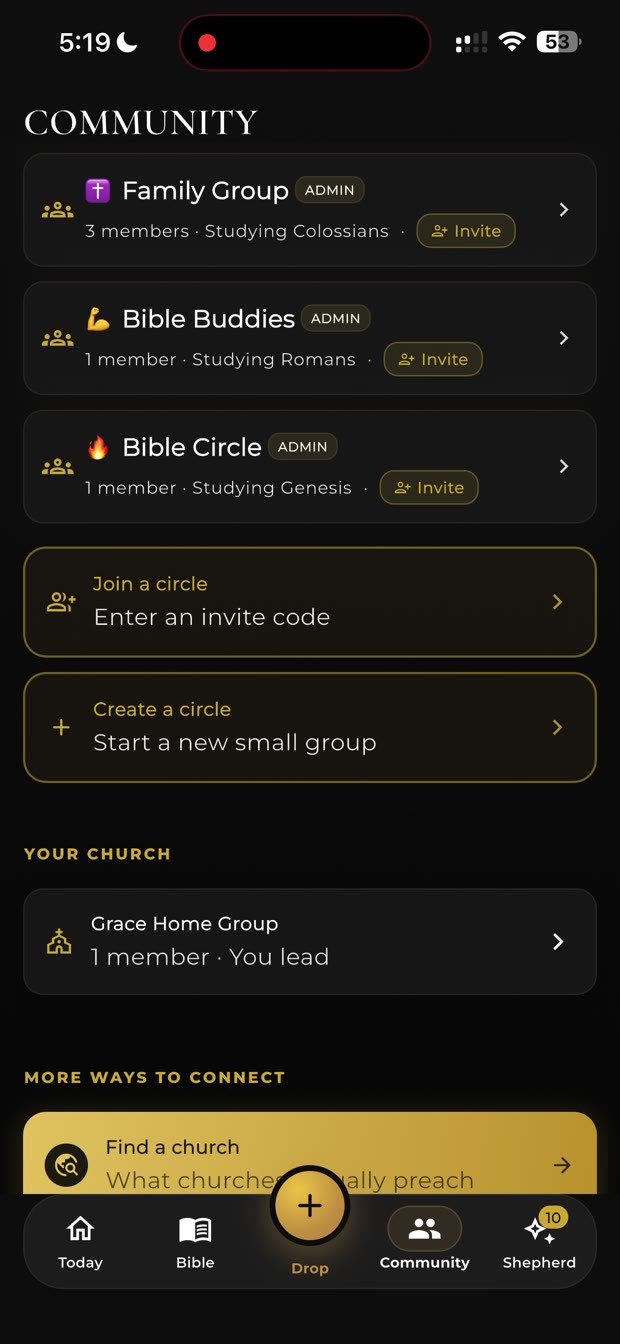
- Community — this is where your circle lives.
- Shepherd — ask a question, get an answer grounded in Scripture.
The five tabs, along the bottom
2Create your circle
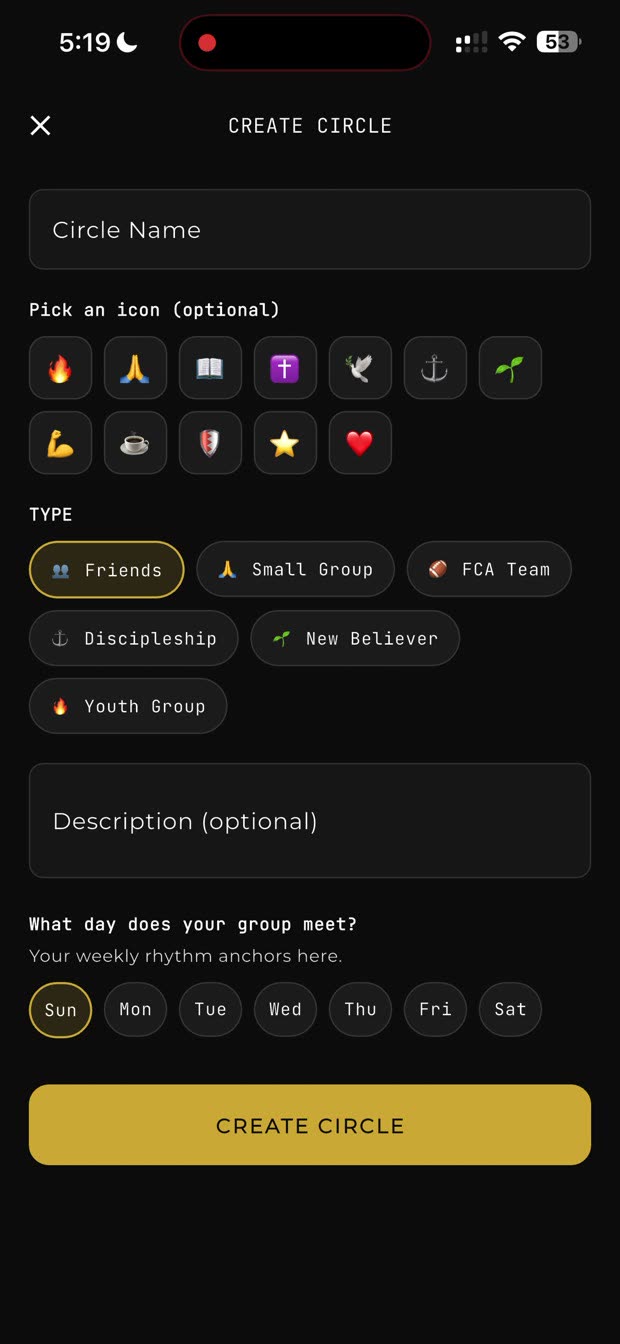
Community → Create a circle. Five things to fill in, and only the first is required:
- Circle name — what your people already call it. "Tuesday Night", "The Guys".
- An icon, if you want one.
- Type — Friends, Small Group, FCA Team, Discipleship, New Believer, Youth Group.
- Description — optional, one line.
- The day your group meets. Don't skip this. Your weekly rhythm anchors to it — the app builds the week around the day you actually gather.
Tap Create Circle, and you are done.
Create Circle
3Get your people in
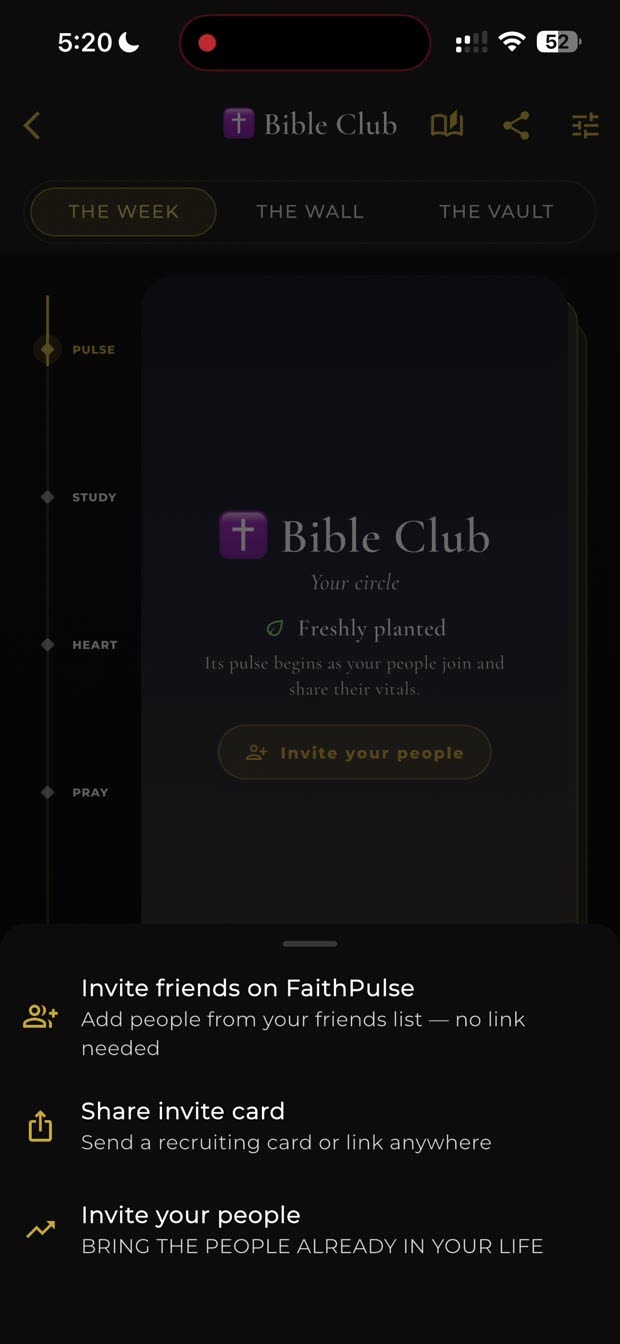
A new circle opens on Freshly planted with one button: Invite your people. The same thing sits behind the share icon at the top of the circle, and the Invite button on its row in Community.
Tapping it gives you three ways in:
- Invite friends on FaithPulse — add people already on your friends list. No link needed.
- Share invite card — send a card or a link anywhere: text, email, group chat.
- Invite your people — bring in the people already in your life.
Join my Circle "Tuesday Night" on FaithPulse: faithpulse.com/…
They tap it, get the app if they need it, and land inside your circle.
Send it to your group text. One message, everyone at once, people join on their own time.
A brand-new circle
4Pick what you're studying
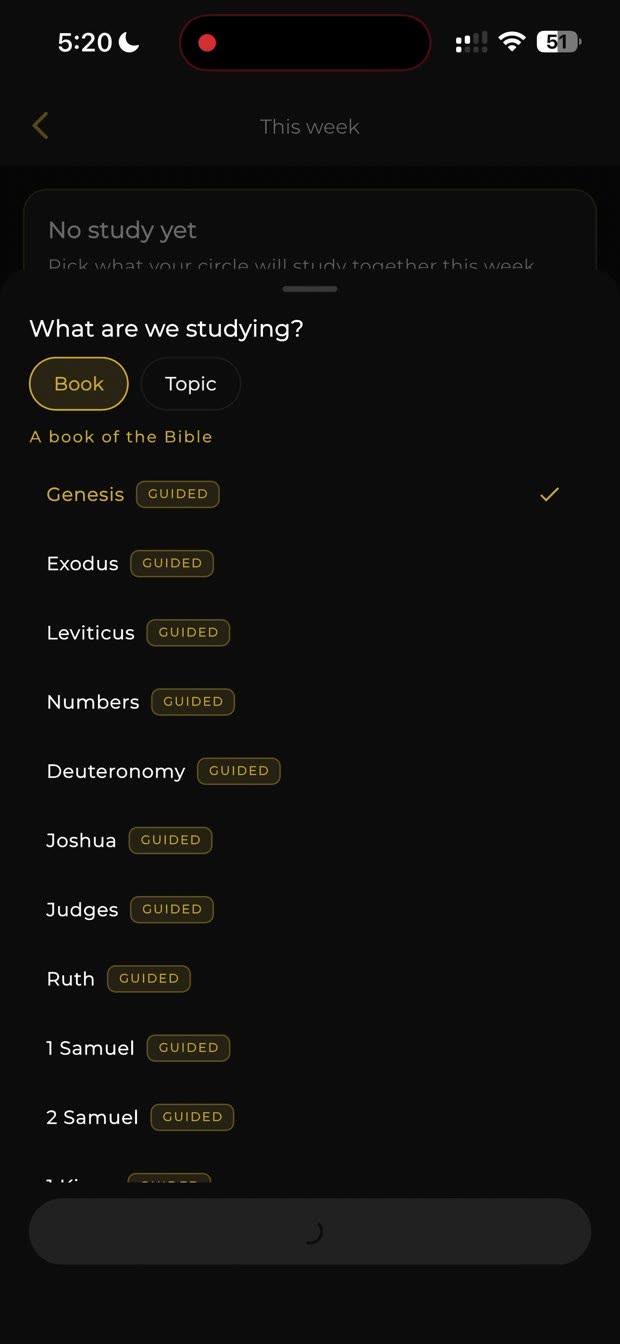
A circle with no study has nothing to be about. Tap Study and choose a book of the Bible or a topic.
Books marked GUIDED come with the reading already broken into weeks — Genesis runs eight weeks, for example. You can change it later.
Choosing a study
5The weekly rhythm
Once a study is set, the week takes care of itself. Your circle sees the reading for today, and you get two things worth using:
- Create a devotional for the circle — builds discussion questions from the passage, each with a button to post it straight to The Wall. It ends with cross-references and a closing prayer.
- Go deeper on this chapter — for your own preparation.
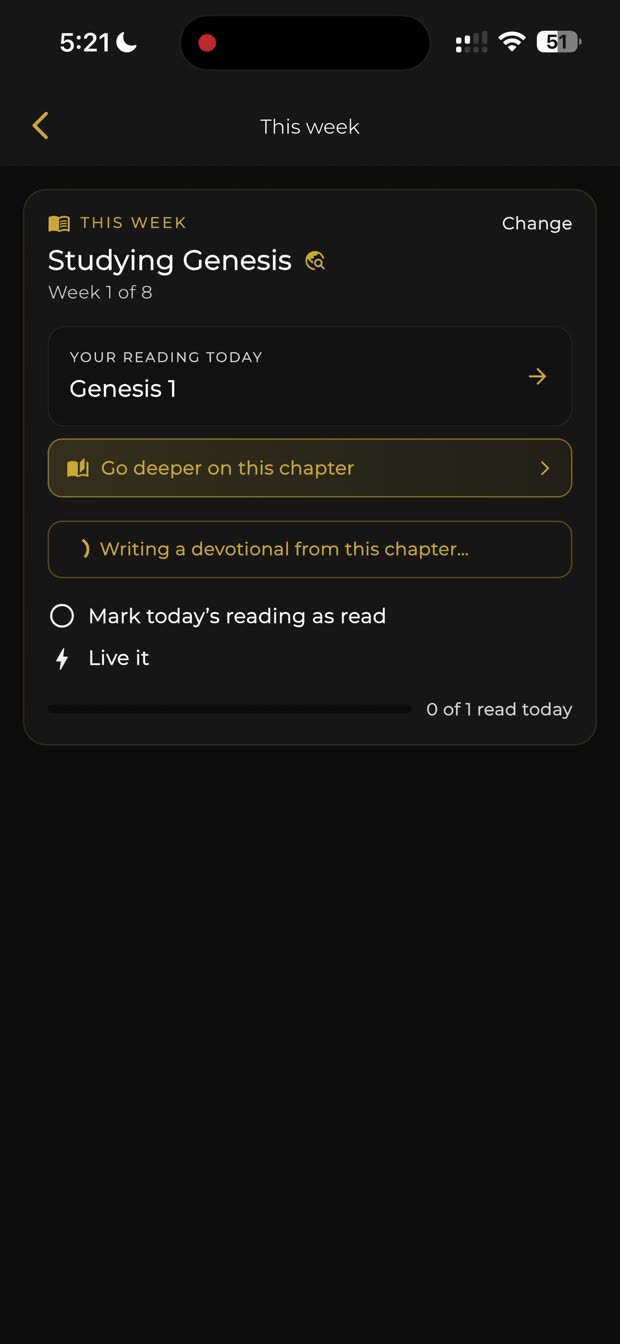
The week's reading
6One thing you live together
Further down the week is Our Flight Plan — "this week, one thing we live together." Tap Generate this week's application and it builds one from your study, a sermon you pushed, or sermons your members brought in.
There is a Leader view toggle here too, for what only you should see.
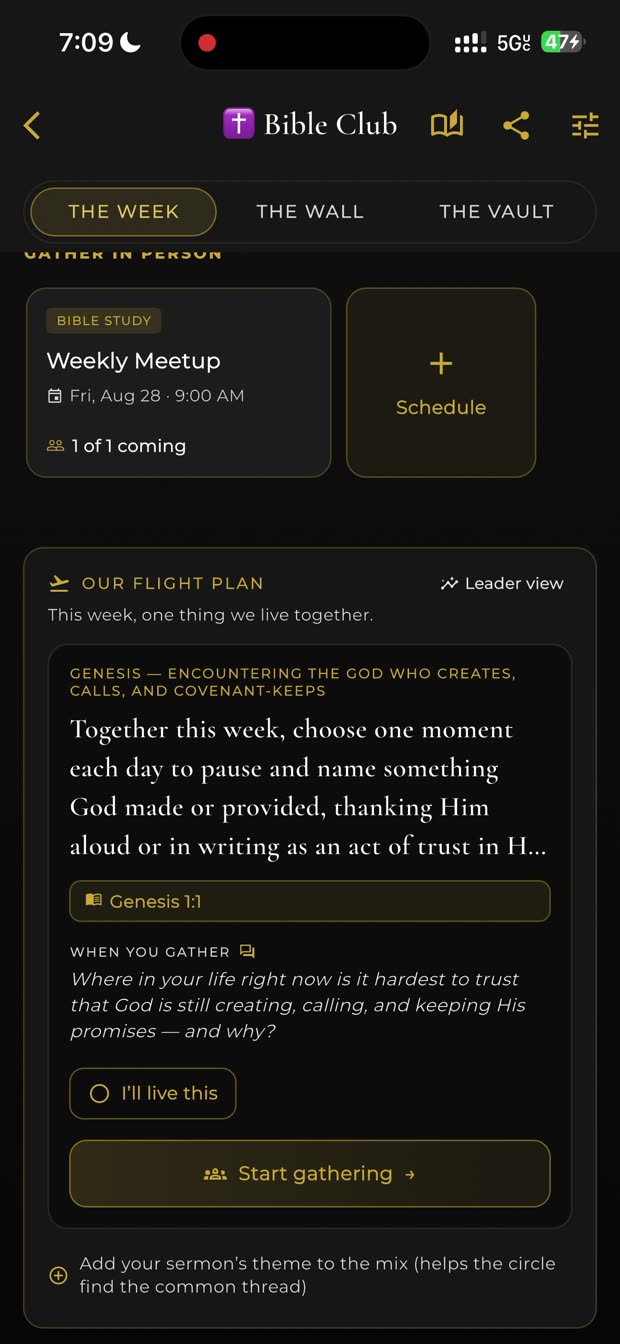
Our Flight Plan
7Meeting in person
Schedule a gathering, and pick the shape: Coffee, Bible Study, Prayer Meeting, Sermon Discussion, or Discipleship Walk.
Bible Study and Sermon Discussion ask for an anchor passage — the Shepherd uses it to prepare your discussion questions before you meet.
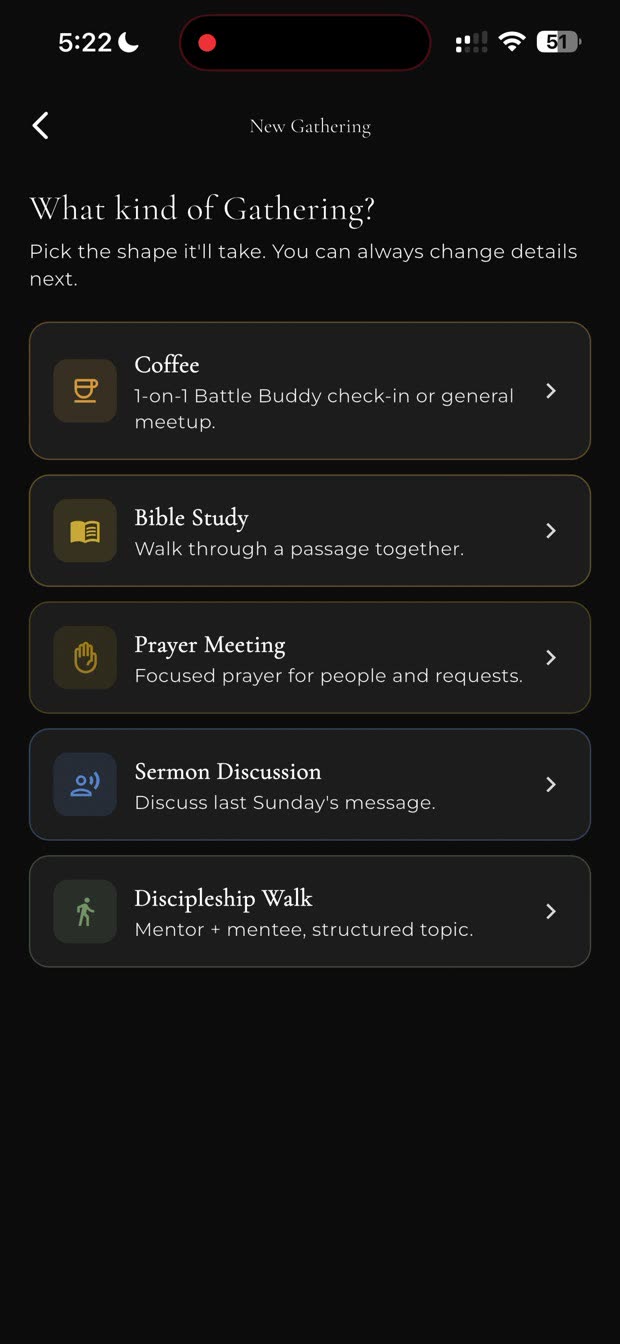
Gathering types
8What your people receive
When you share a gathering, this is the page they open — no app required to read it. The when and where, who invited them, the scripture, and the questions to bring, already prepared.
That page is doing your reminder text, your agenda, and your prep in one link.
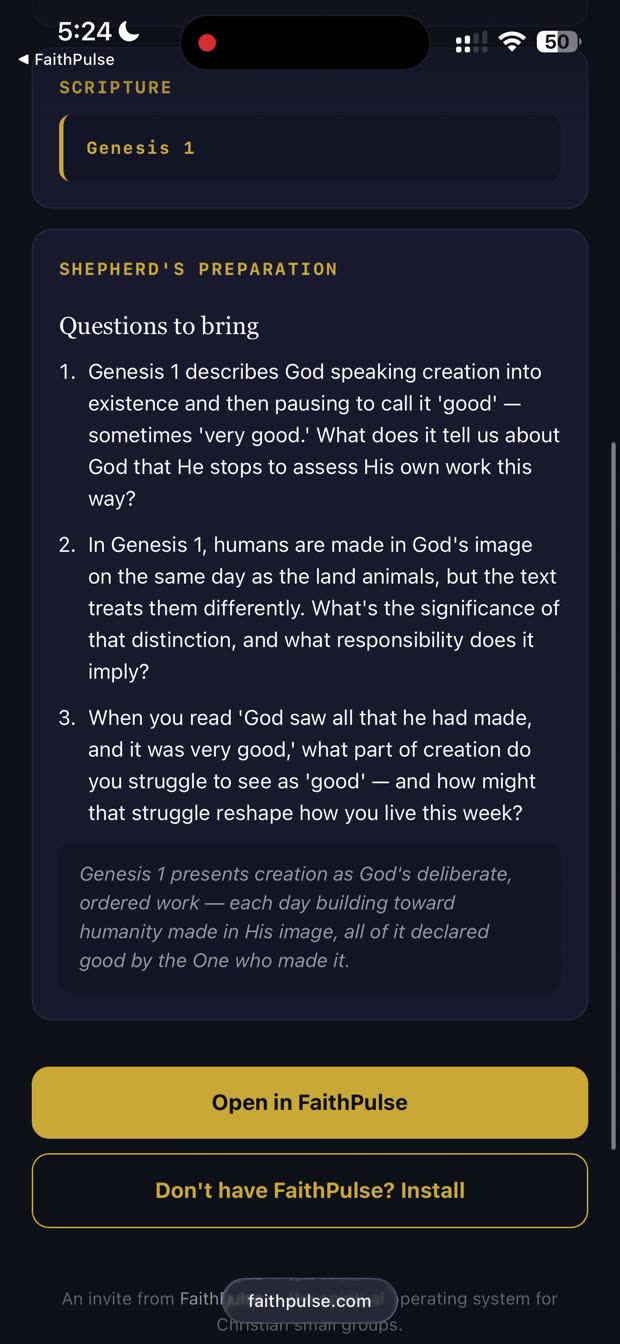
The invite they open
9What lives inside a circle
Three views across the top — The Week (what's happening now), The Wall (the conversation), The Vault (what you've kept) — and five things down the side:
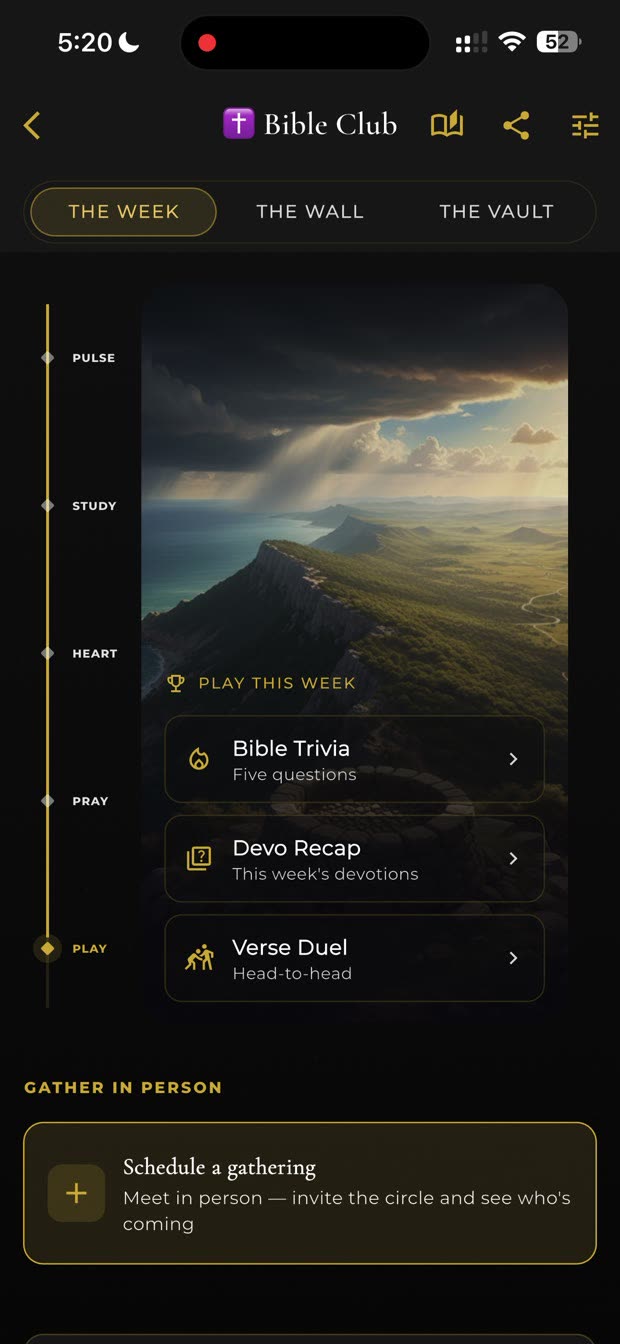
The rail down the side · PLAY and GATHER
10Your first week
Three things, in this order. Keep it small.
- Set the study. It gives the circle something to be about.
- Post once on The Wall. Anything — a verse, a question, what you're wrestling with. An empty wall stays empty; one post gets replies.
- Put your gathering on the calendar if you meet in person. The app is for the days between; it does not replace the room.
The one thing we most want to know
If you drop Sunday's sermon in with the gold +, everyone in the circle gets it broken down — the passages behind it and one concrete thing to do that week. That loop is what the whole product is built around, and whether people use it is the question this pilot exists to answer.
11When something is wrong
Tell us — especially the small things. A button that did nothing, a screen that spun, a word that made no sense. "I didn't understand what this was for" is the most useful sentence you can send.
You are not testing the app so much as showing us where it gets in the way. There is no wrong answer, and "we stopped using it after week two" is a real finding, not a failure.
FaithPulse Circle Leader Guide · Screens captured from the live app, 27 August 2026 · Circles shown are the founder's own test data; yours will be your own.